[MM’s] Boot Notes — The Day Zero Blueprint — The Architecture That Actually Scales
The Architecture You Choose on Day One Will Haunt You Later
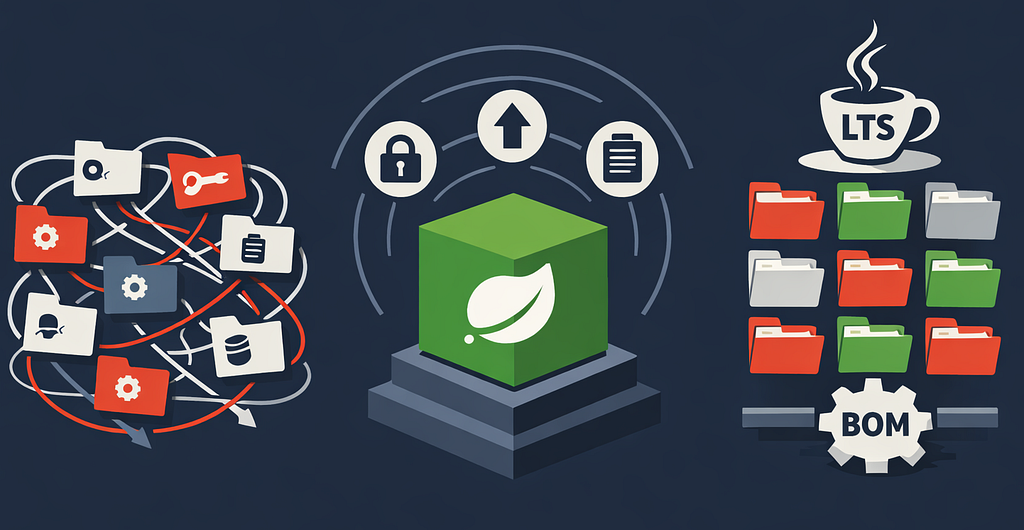
You didn’t break your Spring Boot app. Your package structure did.
It starts clean — controllers, services, repositories. Six months later, you’re digging through 40 service classes just to understand one feature.
This isn’t a coding problem. It’s a structural one — and it starts on Day Zero.
⚡ TL;DR (Quick Recap)
- Package by feature, not by layer.
- Use Spring Modulith to enforce boundaries automatically.
- Use Java Records for DTOs and immutability.
- Keep @SpringBootApplication minimal and use the Spring BOM.
- All examples assume Spring Boot 4.x, Spring Modulith 2.x
Why Layered Architecture Quietly Fails
Layer-based packaging answers the wrong question. It tells you how the code is structured — not what the system does.
services/
repositories/
controllers/
This scales poorly because:
- Domain logic gets scattered across packages
- Cross-feature dependencies become invisible
- Refactoring requires touching multiple unrelated folders
Package by Feature: Make the Domain Visible
Instead, organize code around business capabilities:
com.example.app
  ├── orders/
  │   ├── OrderController.java
  │   ├── OrderService.java
  │   ├── OrderRepository.java
  │   └── OrderDto.java
  ├── inventory/
  └── users/
This simple shift has impact:
- High cohesion within each feature
- Clear ownership of logic
- Easier onboarding for new developers
When someone opens your project, they immediately understand:
“This system manages orders, users, and inventory.”
Not just:
“This is a Spring app with controllers and services.”
Spring Modulith: Turn Architecture Into Code
Good architecture fails without enforcement. Eventually, someone will bypass boundaries to “just make it work.”
That’s where Spring Modulith changes the game. It treats each package as a module and verifies interactions between them.
Add Modulith
<dependencyManagement>
    <dependencies>
        <dependency>
            <groupId>org.springframework.modulith</groupId>
            <artifactId>spring-modulith-bom</artifactId>
            <version>${modulith-version}</version>
            <type>pom</type>
            <scope>import</scope>
        </dependency>
    </dependencies>
</dependencyManagement>

<dependencies>
    <dependency>
        <groupId>org.springframework.modulith</groupId>
        <artifactId>spring-modulith-starter-core</artifactId>
    </dependency>
    <!-- Required to actually run verification tests -->
    <dependency>
        <groupId>org.springframework.modulith</groupId>
        <artifactId>spring-modulith-starter-test</artifactId>
        <scope>test</scope>
    </dependency>
</dependencies>
Add the Architecture Test
@SpringBootTest
class ModularStructureTests {

    @Test
    void verifiesModularStructure() {
        ApplicationModules.of(Application.class).verify();
    }
}
That’s it. Your build will fail if any of the following occur — if you follow these conventions:
- Package internals under an internal sub-package
- Keep implementation classes package-private
- Run the verification test in CI
Violations detected:
- A module accesses another module’s internals
- Circular dependencies appear
- Architectural boundaries are crossed
This is architecture as code — not documentation.
Service Boundaries: The Rule That Saves You Later
The most common architectural leak looks like this:
orderService -> inventoryRepository ❌
It works… until it doesn’t. Now inventory logic is spread across modules.
The Correct Approach
orderService -> inventoryService ✅
Define clear interfaces:
package com.example.app.inventory.api;

public interface InventoryService {
    boolean isAvailable(Long productId, int quantity);
    void reserve(Long productId, int quantity);
}

package com.example.app.inventory.internal;

class InventoryServiceImpl implements InventoryService {
    // implementation hidden from other modules
}
Then use them:
@Service
public class OrderService {

    private final InventoryService inventoryService;

    public OrderService(InventoryService inventoryService) {
        this.inventoryService = inventoryService;
    }

    public void placeOrder(OrderRequest request) {
        inventoryService.reserve(request.productId(), request.quantity());
    }
}
Why this matters
- Keeps logic centralized
- Prevents hidden coupling
- Enables future service extraction
And yes — Spring Modulith helps enforce this structure when combined with proper package design and visibility constraints.
Java Records: DTOs Without the Noise
If you’re not using Java Records in 2026, you’re carrying unnecessary weight. Use records for DTOs — not entities or complex domain models.
Before
public class OrderDto {
    private final Long id;
    private final String customerName;
    private final BigDecimal total;
    // constructor, getters, equals, hashCode...
}
After
public record OrderDto(
    Long id,

    @NotBlank
    String customerName,

    @NotNull
    @DecimalMin("0.00")
    BigDecimal total
) {}
Why Records matter
- Immutable by default
- Zero boilerplate
- Clear intent: “data carrier only”
Use them for:
- API requests/responses
- Events
- Inter-layer communication
Keep Your Entry Point Boring
Your main class should look like this:
@SpringBootApplication
public class Application {
    public static void main(String[] args) {
        SpringApplication.run(Application.class, args);
    }
}
Nothing more. No beans. No config. No logic.
Why?
Because once you start adding things here, it becomes:
The “junk drawer” of your application
Instead:
- Use Configuration classes
- Keep config close to the module that owns it
Let the Spring BOM Do Its Job
Dependency management is not where you want creativity.
Spring Boot provides a Bill of Materials (BOM) that ensures compatibility.
<parent>
    <groupId>org.springframework.boot</groupId>
    <artifactId>spring-boot-starter-parent</artifactId>
    <version>${version}</version>
</parent>
Then:
<dependency>
    <groupId>org.springframework.boot</groupId>
    <artifactId>spring-boot-starter-webmvc</artifactId>
</dependency>
Why this matters
- Prevents dependency conflicts
- Aligns with Spring ecosystem releases
Only override versions when absolutely necessary.
Stick to LTS Java (21 → 25)
Non-LTS Java versions are tempting — but risky for production systems. Use non-LTS only if your organization has a clear upgrade strategy.
LTS gives you:
- Long-term support
- Stable APIs
- Alignment with Spring Boot
Modern Java (21+) unlocks:
- Records
- Pattern matching
- Virtual threads (when needed)
Your baseline should always be: LTS first, experiments second.
Practical Application: Your Day Zero Checklist
If you’re starting today:
- Create packages by feature
- Add Spring Modulith and its test
- Define service interfaces between modules
- Use Records for DTOs
- Keep your main class organized
- Use the Spring BOM
- Start with Java 21 (or newer LTS)
If you’re mid-project:
- Refactor one module at a time
- Introduce Modulith tests early
- Gradually enforce boundaries
Final Takeaways
Architecture isn’t something you “add later.” It’s something you either protect continuously — or slowly lose.
The difference between a maintainable system and a tangled monolith isn’t talent. It’s discipline backed by tooling.
- Feature packaging gives you clarity
- Modulith gives you enforcement
- Modern Java gives you simplicity
Start clean — and your system stays clean.
You can find example of code on GitHub.
Originally posted on marconak-matej.medium.com.